MQTT is a lightweight, publish–subscribe, machine-to-machine network protocol for message queuing. There are 4 components: Publisher, Subscriber, Topics (in the explorer), and Broker, which accept and filter the data.
The objective of this project is to publish the data to the public MQTT broker and analyze the data packet structure, which includes the Header & Payload, using Wireshark software.
1. First, prepare for the installation of the software

Installing MQTT Explorer in App Store.

Installing Wireshark on their official website.
For macOS, don’t forget to install ChmodBPF so that Wireshark is able to detect the network interface.
2. Open the MQTT Explorer, and modify the default connection.
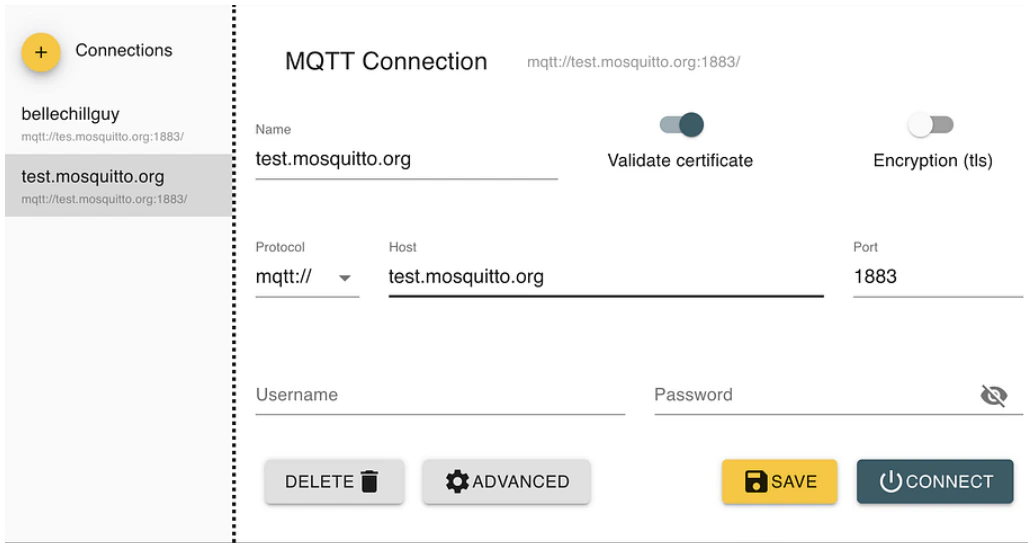
Click “Advanced”, delete the default subscription, and add a new one using your identity or something else. Press “Back” and then connect it.
3. Write the topic and the value all you want (either in raw, XML, or JSON), then publish it.
4. Open Wireshark. Click twice on the “Wi-Fi: en0”.
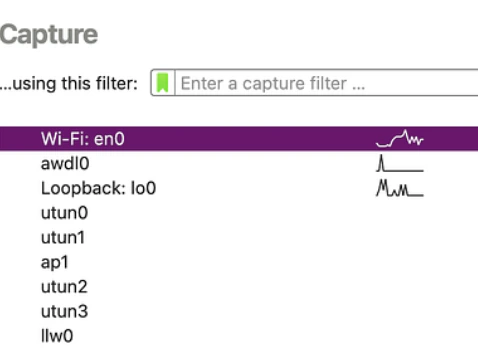
This interface will pop up. Use the filter function on the top, and write “mqtt”. You will see that there is no result coming out unless you publish your topic in the MQTT Explorer before.
This is what happens when you have already published your topic.
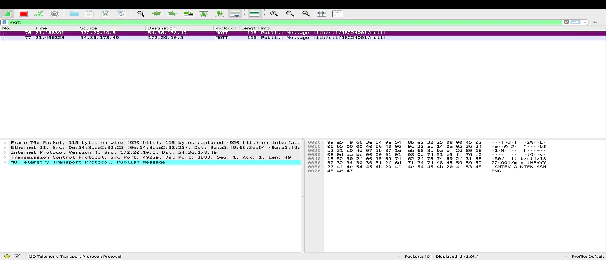
5. Analyze the total length in Wireshark
a. Total Packet
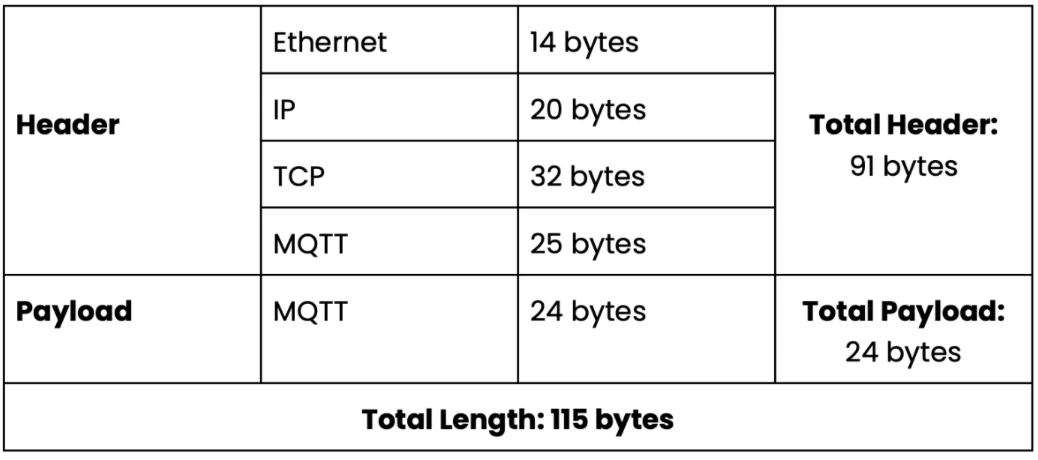
Open “Frame”, then you will see the information about the packet length. It says 115 bytes.
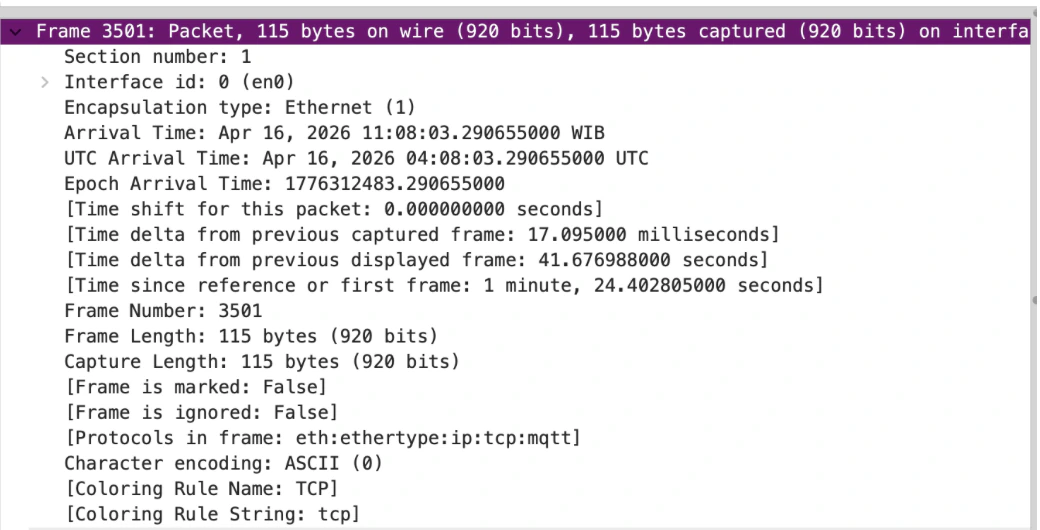
b. Ethernet Header
Click “Ethernet II”. See what happens in the hex view. It indicates that the ethernet header’s length consists of 14 bytes.

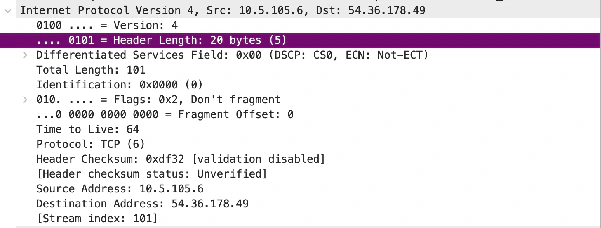
c. IP Header
Open “Internet Protocol Version 4”, and you will see the IP header length is 20 bytes.
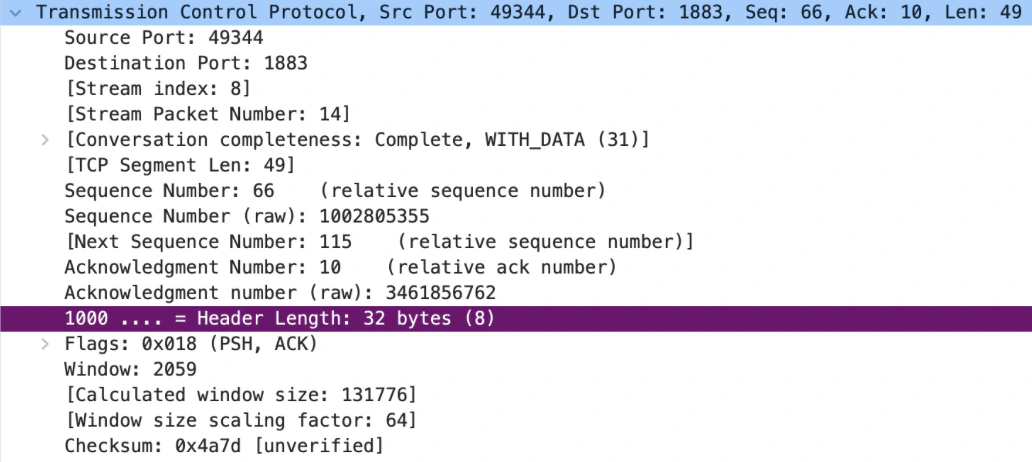
d. TCP Header
Open “Transmission Control Protocol”, it says that the header length is 32 bytes.
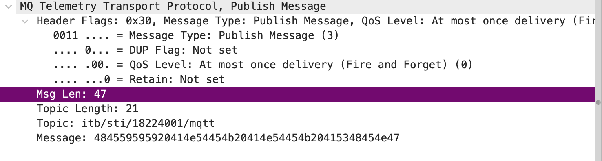
e. MQTT (header + payload)
Total MQTT payload is the total bytes of the topic’s value; in this case, it is 24 bytes.

Now, we know that:
payload length = 24 bytes
msg length = variable length + payload = 47 bytes
variable length = msg length − payload = 47 − 24 = 23 bytes
fixed length = 2 bytes
header length = variable length + fixed length = 23 + 2 = 25 bytes
MQTT total = 24 + 23 + 2 = 49 bytes
So, we can conclude that: