A sensor is a device that reads environmental information.
This time, we’ll experiment with the internal sensor (touch sensor) built into the ESP32. We’ll also experiment with an external sensor using the BMP280 to detect temperature, pressure, altitude, and humidity.
1. Touch Sensor
This is the configuration of my ESP32 built-in touch sensor. To minimize errors and other issues, I suggest using an online lab simulator before jumping into real hardware work. However, it’s up to you.
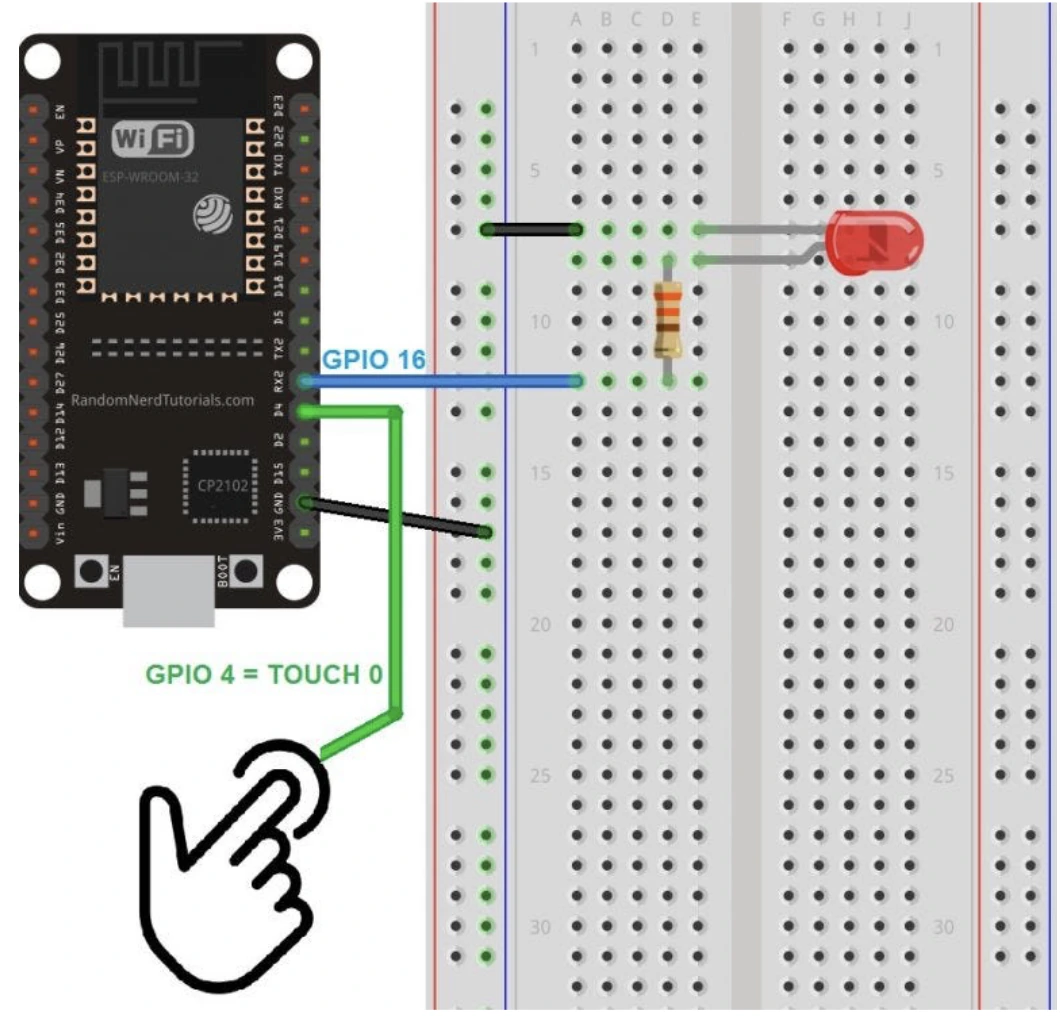
During the process, I encountered some difficulties — the LED wouldn’t light up. I repeatedly unplugged and reconnected the LED and resistor to the breadboard. However, that was not the problem.
I carefully analyzed the code, the output, and the serial monitor. Gotcha! I got the root problem, it was the threshold.
See this output in my serial monitor:
1    — LED off
437  — LED off
516  — LED off
1372 — LED off
1341 — LED off
450  — LED off
87   — LED off
86   — LED off
The touchRead value when not touched is in the range of 1300 to 1400. When touched, the value drops to around 80 to 500. Initially, I used a threshold of 10, but that was too low and the LED never turned on. Therefore, I set the threshold around the middle value of the two conditions, which is 700, so that the LED will turn on when touched and turn off when not touched.
Here is the final code I used based on my configuration.
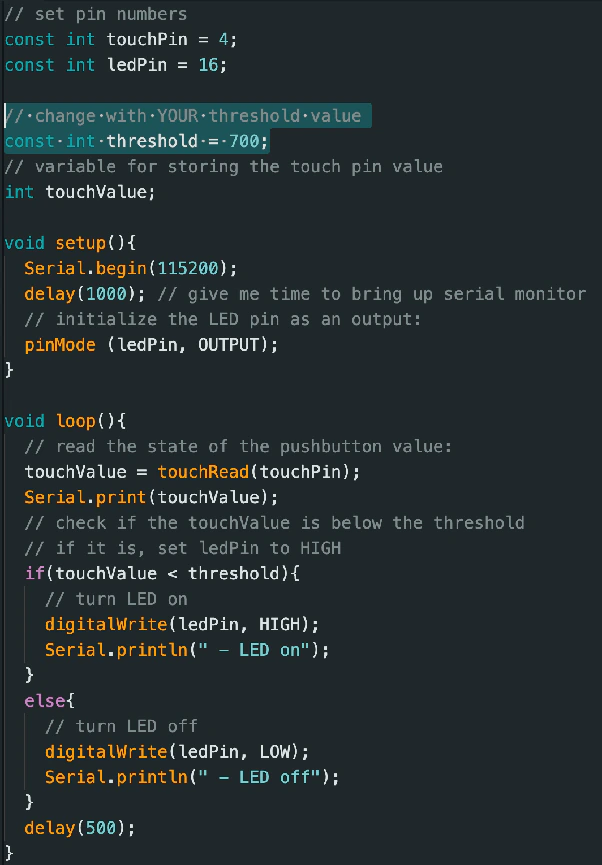
Source Code of ESP32 Touch Sensor
Source: https://randomnerdtutorials.com/esp32-touch-pins-arduino-ide/
Finally, it’s done! When I touch the jumper, the LED lights up red, which indicates success. Here is the result.
2. BMP280 Sensor
It’s time to move to the next chapter, we were going to do the experiment using an external sensor — BME280, to detect temperature, pressure, altitude, and humidity.
This is the wiring configuration that I used:
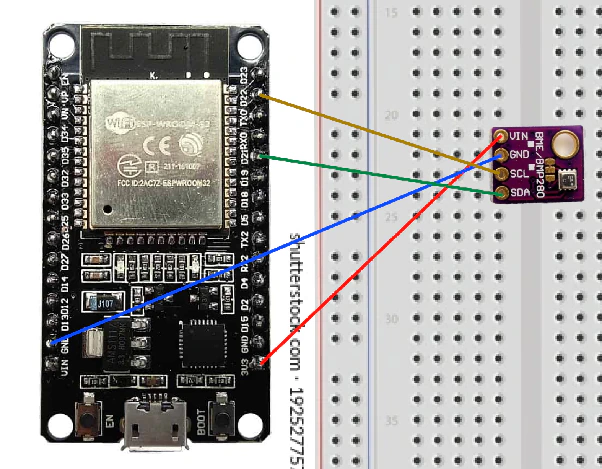
First of all, we need to install all the dependencies — libraries.
Open navbar: Tools > Manage Libraries.
Search "BME 280", and then click Install All.
Here is the final code I used based on my configuration.
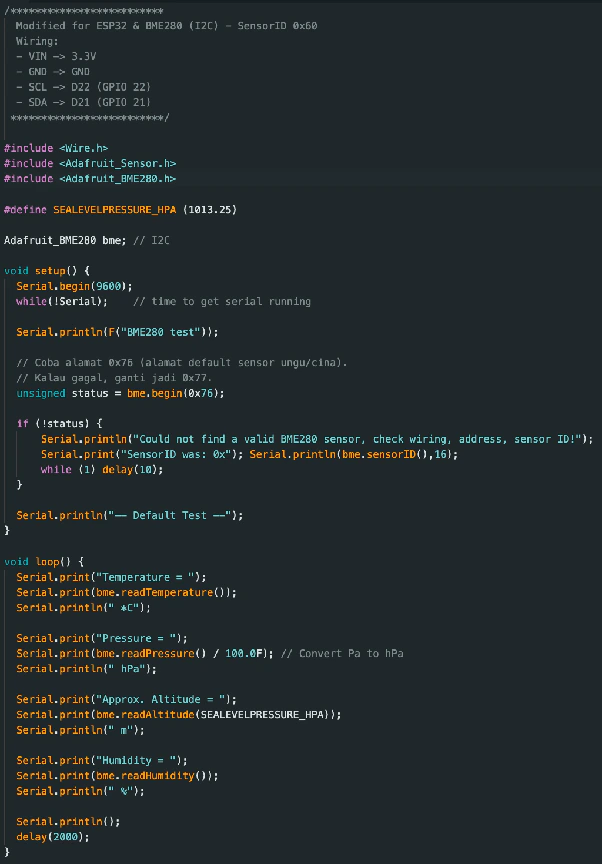
Source Code of ESP32 BME280
Source: https://randomnerdtutorials.com/esp32-bme280-arduino-ide-pressure-temperature-humidity/
In the process, I found some difficulties — the output in my serial monitor wouldn’t shows up. It turns out that my sensor is the problem, because I didn’t soldier the sensor with its feet.
TADA!!! It is successfully uploaded ;333
Here is the result. The measurement results appear on the serial monitor.
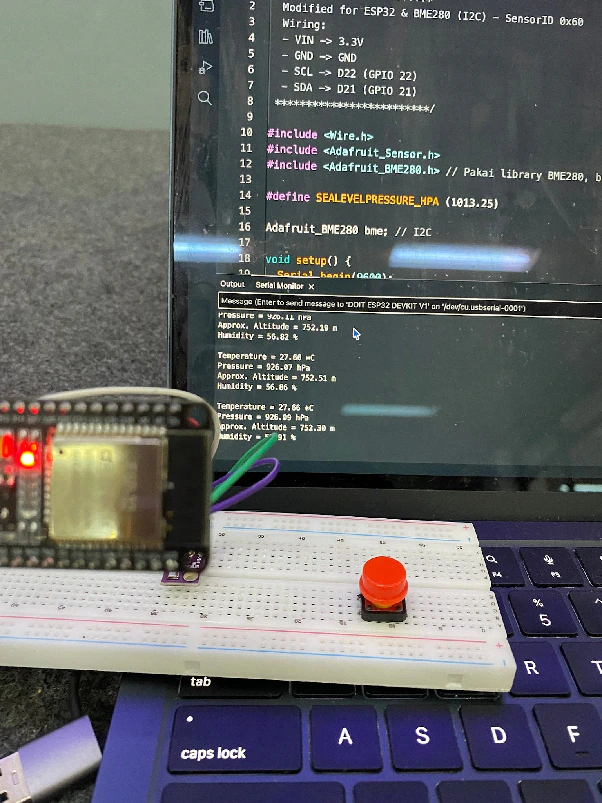
((ignore the push button))